Blog

  • The Hiring Process is Too Slow, and Career Paths are Unclear

    The Hiring Process is Too Slow, and Career Paths are Unclear

    While checking one of my many email accounts, I came across this email from FlexJobs. Three years ago, I was looking for a job. And during that time, I was obsessed with an idea to improve how people got hired.

    Dear Aaron,

    Historically, a career path has often been referred to as “climbing the ladder”, indicating a clear, straight, consistent move up towards a perceived “highest rung” on the ladder. Well, I don’t know about you, but my career path has been more of a crazy-looking series of zigzags — far from what my college career counselor recommended when I was in school.

    But long ago, I’d come to appreciate that it’s okay! There are different jobs that will make sense for you and your life at different times, and we should feel free and confident to choose a job that is most likely to meet our goals at each particular time. Not to beat ourselves up about it.

    Certainly, many job seekers are facing a potential zig or zag that they didn’t expect 6 months ago. So if you’re one of those who are struggling with questions like, “Should I take a job that isn’t in line with my career path?” or “What if I have to take a pay cut?” or “Should I change careers?”, remember that you’re not alone, and to have hope there is more than one way to get to your goals.

    And we hope to help get you there! Read on for a special discount offer, great job listings and companies hiring, a featured success story, and more!

    Many cheers,

    Sara Sutton at the FlexJobs Team

    To me, looking for a job on job search sites was more like looking for the right movie to watch in a $5 pile of DVDs at Walmart. There is no order, just a collection of different job titles expecting a range of different skills, all while not disclosing their pay structure.

    I recognize that the employer has the right to shop for the best talent at the lowest possible price as if we are a product to be discounted. However, every individual has a right to income equality. We should all be able to afford a good lifestyle from our work. Some profit from their work more than others. There is no clear path, and there is a lot of zig-zagging when trying to climb the professional ladder.

    I had an idea of how to solve this.

    Before becoming a hiring manager myself, I believed that a website similar to LinkedIn that logged all of your certifications, education, experience, recommendations, and skills would help everyone apply for jobs faster.

    I recognize that there are many job sites, including FlexJobs and Indeed. These sites help managers recruit talent. The manager receives many applications that range from college students to retired military. It is up to the hiring manager to determine the best fit quickly before the decision to hire for a position is abandoned.

    Business is messy. Much like personal finance, budgeting is messy. Sometimes there isn’t a budget for a need. When filling a necessity, the expense displaces the budget for another area. I took too long to hire someone, so the direction for the position changed from above.

    From the perspective of an applicant, one might feel as they have applied to many places, and no one wants them. But, the truth might be that the position was a new one and was evolving during the hiring process. For that reason, a proper job description did not exist, and when one finally did get written, it was unique.

    In 2010, I wanted to build some kind of system that paired applicants with their ideal job. Much like a dating platform, I believed there was a role for everyone.

    My view is changing, but I do believe that the hiring process could be more efficient and less stressful for applicants and managers.

    When COVID-19 caused millions to be laid-off during the shutdown, the idea of an applicant pairing system returned to me. Some news articles suggested that 66 million would lose their job.

    I began asking friends that if they were to lose their job, would they be willing to pay $15 to be instantly given a new one. All said yes.

    If all 66 million said yes to $15, that would equal $990,000,000. Surely, with 1 Billion Dollars, a solution to pairing applicants to jobs would be achievable.

    And that would be just the first round. What if this were a service where every time you wanted a new job, you paid $15 and Merry Christmas, you have a new job! Now we’re talking billions of dollars.

    So how would this magical service work? A team of people would review every job description available and categorize them. Each job description mentions a set of skills; these skills can be phrased in many different ways, but are ultimately referring to the same ability. That ability would have a unique code. These codes would then be combined to match the resumes that also referenced the same skill.

    Now, what about this instant part? With a site that verifies each skill once, the redundancy of proving this to each prospective employer is eliminated.

    Answer interview questions once, get a background check, and drug screening once. Not multiple times over. For experience, each job experience is logged. Much like classes are logged in college. When it comes time to apply to a new job, just like with applying for courses, the prerequisites are matched up to allow access to the opportunity.

    This idea is not perfect; there are areas where its hard to put people and jobs into cookie-cutter definitions. But, no matter how complex the working world is, I believe it could be studied and simplified. Standardized or at least the computer could use artificial intelligence to recognize the similarities between the job and the candidate.

    I also believe that this would be in the national security interested of the United States Government, if not the rest of the world. When an economy is shut down, a nation is in danger of collapse. But, what an economy consists of is organization. The inability to organize people into teams quickly and reestablish the flow of currency puts a nation in danger.

    Organization and efficiency are what the economy truly is. Every citizen should have a source of income; a means to supply their material needs. A nation that fails to ensure this for its citizens will be in danger of collapse. It is in everyone’s interest that all people living in the state can maintain their source of income even in the face of turbulent times.

    Think of it as electricity. When a storm comes, you want your TV to maintain power without interruption. Sometimes the power goes out. But, if you have a backup generator, it is as if nothing happened. The more quickly you can reestablish electricity, the less inconvenienced you are.

    The nation needs continuous economic power. The more resilient we are, the less concerned with the economy will need to be.

    I consider it a public interest that we find a way to get people back to work and into the role they should be sooner rather than later so that these people can buy your products and your services so that you may also not be inconvenienced.

    A digital system that pairs people with jobs find the right fits would make our economy move faster. People eventually find jobs, they ultimately find their place on the ladder, but if we could make it happen in seconds rather than months, how much better off would we be as a collective?

    Time is valuable. This decade should be about eliminating unnecessary delays, mainly because the tools to do so are at our fingertips. Those who are not in favor of digital applicant pairing, online voting, and digital currency are holding us back. Much like those who stood in the way of flying, standardized time zones, and the study of medicine held us back.

    It’s time to move forward. It shouldn’t take a pandemic or a war to increase our sense of urgency.

  • The First Website

    The First Website

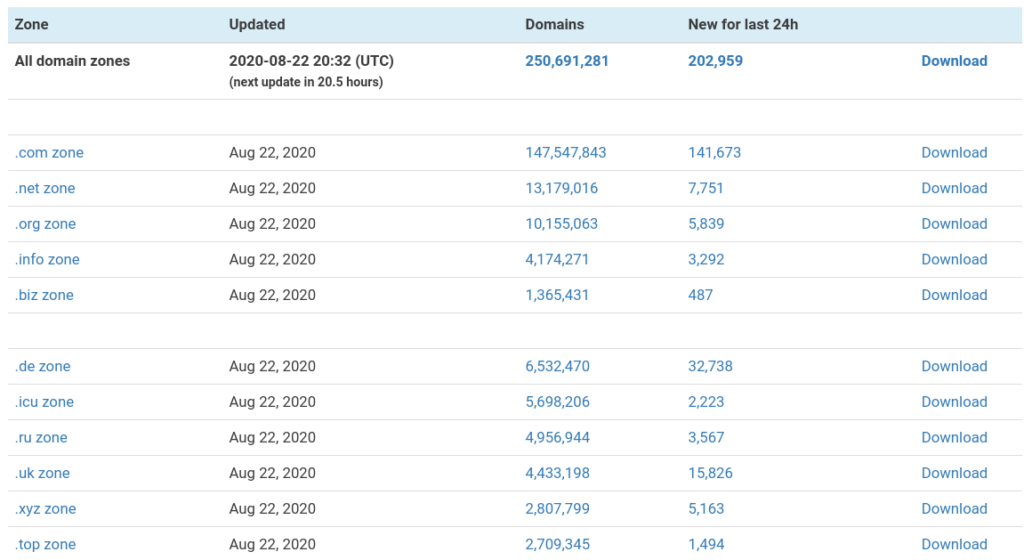
    There are now 250 Billion websites, 220,000 of these launched within the last 24 hours, as seen here: https://zonefiles.io/. Sure, not all of these domains are useful. Many of these domains are for sale with a landing page full of advertising. Others are still on a Dreamhost under construction page. But, imagine there was a time before even the first website launched.

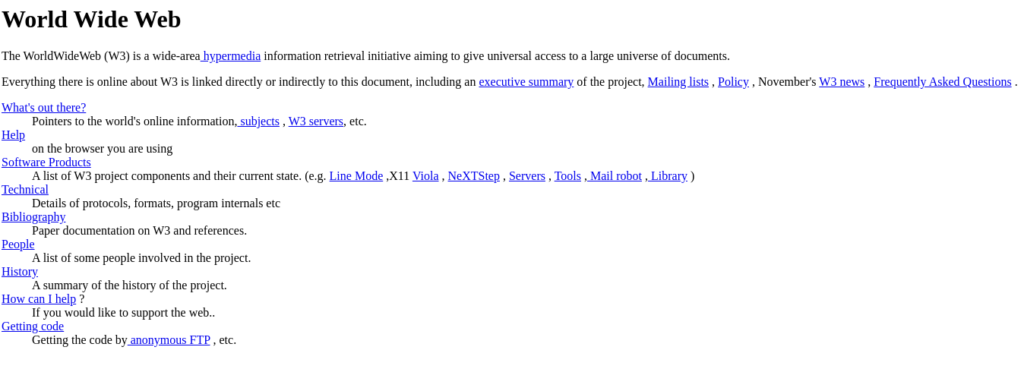
    Tim Berners-Lee launched the first website as we know them today. On Tuesday, August 6, 1991, Tim changed the world forever by introducing us to the worldwide web. You can still visit the first website today at http://info.cern.ch/hypertext/WWW/TheProject.html.

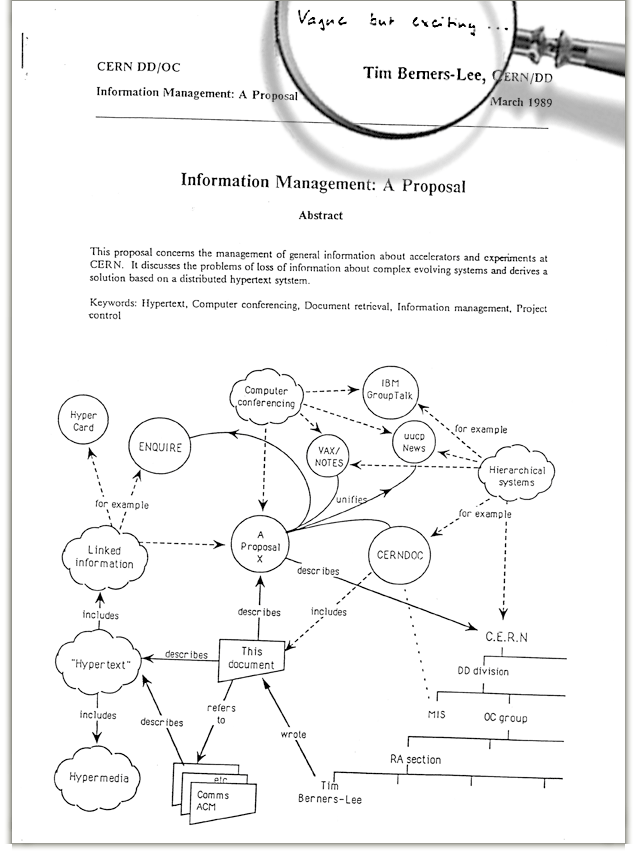
    The first reaction to Tim’s creation was three words: “Vague, but exciting…”

    What made me so excited about learning this bit of history was that one person could change the world with an idea, that at first is hard to comprehend fully, but eventually will be adopted by everyone. There are still many people who dislike computers and technology in general. Even so, these same people will eventually warm up to it as it will meet a need or want in their life.

    I believe that online voting should be a thing. I hear a lot of excuses for why this is unsafe for the voting process or that voting in person is so much more official. I don’t care about these excuses. Voting should be convenient, efficient, and instant. But, I’ll have to wait until the adoption curve captures the majority.

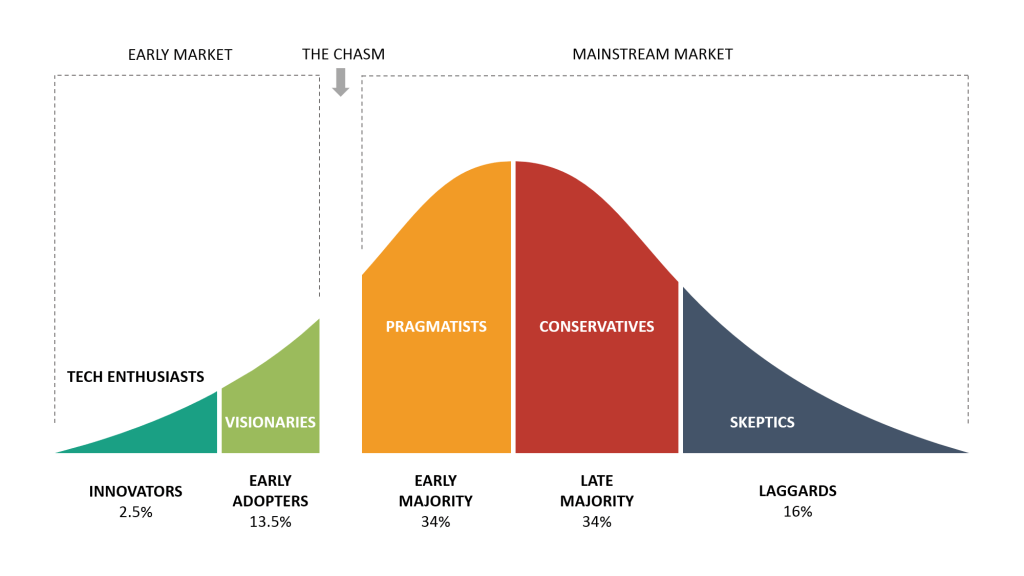
    The adoption model above shows that there are stages to the public adoption of new technology. In the beginning, there are innovators—those who try new ideas and do not be convinced to try something new. I would like to consider myself one of those people. I do not need to ask why I simply ask why not? I get excited about building, creating, and trying something new.

    Then there are the visionaries, who don’t necessarily create, but they adopt early. They like what we are making.

    But, there is a chasm—space between these visionaries and pragmatists. Something has to happen, a trigger point that makes an idea practical and necessary.

    COVID-19 was a catalyst for Zoom meetings. But, let me revisit that in a minute.

    After the pragmatists, there are conservatives; they resist change. I would call those the school teachers of the world. Sorry, if you think you’re more in line with the new folks, but I see too many school teachers insisting on cursive handwriting and physical textbooks and classes to consider your group early adopters.

    COVID-19 is pushing conservative thinkers to embrace technology. One can make all the excuses in the world for not adopting digital learning, the classroom is better, etc. But, now, you had to embrace classes over Zoom! The pandemic didn’t give you much choice.

    And that brings me to the laggards. The majority force the laggards to join. If everyone else is doing it, they’ll be dragged along into it too.

    Fun fact, in 2008, I typed my Calculus Math Homework. And yes, it did attract unwanted attention at the time. But it came from a desire to push forward.

    The file is in 2008 Word Document format for Mac. It will need to be converted, but this document preview luckily was saved as a jpeg in the XML zip file.

    My handwriting was very sloppy at the time, and I didn’t particularly like dull pencil lead. The solution was to learn how to type my math homework. I even imported the graphs from my Texas Instruments Ti-89 Graphing Calculator.

    Many folks didn’t see why I would want to type my math homework, but to me, it was the future. Textbooks were typed, and so why shouldn’t I type my math homework?

    Because I typed my math homework, I still have all of my class notes and homework to this day. These files have been stored in the cloud, buried in 11 Terabytes of data from over the last 20 years. I started using computers in Kindergarten. So technically, even longer than that.

    This reminds me of the time I scanned my entire math book textbook with a flatbed scanner during my freshman year in high school. Why? I wanted my first eTextbook, so I wouldn’t have to lug several heavy textbooks in my backpack every day. I also tended to forget a textbook or two in my locker because my bag could only hold so many.

    For the most part, the textbook worked. All the pages were named after their page numbers, and I could use the preview function in Windows XP to view two of these pictures at once, making a makeshift digital textbook. Unfortunately, the textbook was not text searchable. You can only imagine my glee when I acquired my first official eTextbook that was searchable.

    Point being that modernization takes time to catch on.

    Not everyone will appreciate your new ideas right away. But if you keep at it, eventually you’ll be a star. And Tim Berners-Lee put in the work to pursue a new concept that now has billions of followers.

  • Unboxing MOTILE 14 Performance Laptop Walmart

    Unboxing MOTILE 14 Performance Laptop Walmart

    If you need an affordable laptop to tackle your work from home efficiently, look no further than the Motile 14 by Walmart. It’s an impressive device that won’t break the bank!

    When my fiancee, Kara, was searching for a laptop to complete her required courses at her new hospital job, she wanted something that wouldn’t dent her wallet as a new MacBook would. Fortunately, I had just come across a glowing review of Motile 14.

    Available in three attractive colors – silver, black, and rose gold – the Motile 14 offered Kara the opportunity to choose a perfect laptop that matched her style.

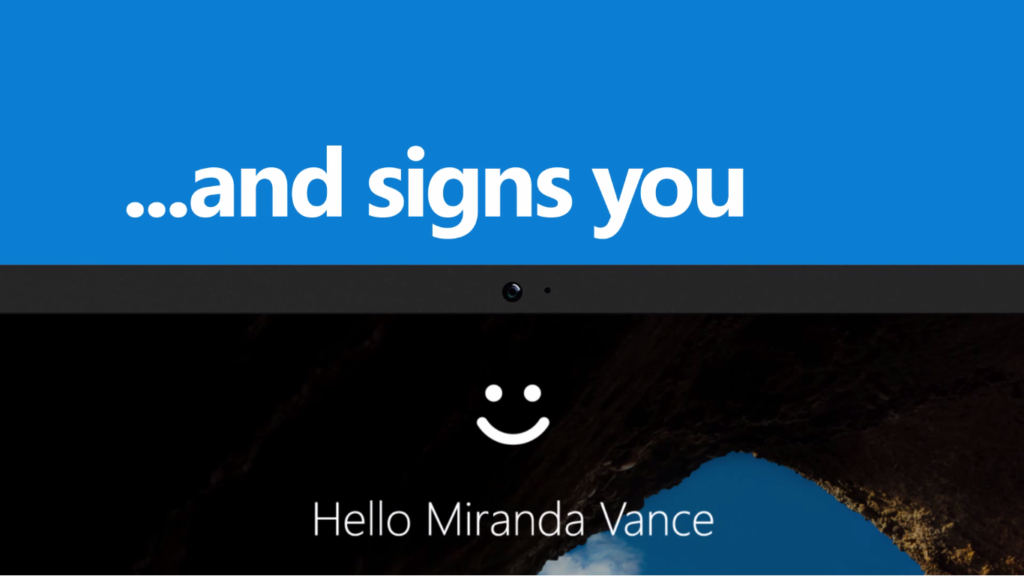
    What sets the Motile 14 apart is its inclusion of Windows Hello facial recognition, a feature usually reserved for pricier laptops. This nifty addition allows you to unlock the computer effortlessly with just a glance. It’s worth mentioning that while facial recognition is an option, you can choose whether or not to utilize it based on your personal preferences and comfort level. That such a convenient feature comes standard on a $270 model pleasantly surprised both of us. This laptop could be priced much higher, given its capabilities.

    In addition to the impressive facial recognition feature, the Motile 14 boasts other noteworthy qualities. Its sleek design and reliable performance make it a practical and stylish choice for individuals seeking an affordable yet efficient laptop.

    Furthermore, this laptop’s affordability doesn’t compromise functionality. The Motile 14 provides ample processing power and storage capacity to smoothly handle Kara’s demanding tasks, allowing her to complete her required courses without any hindrance.

    Overall, the Motile 14 is an excellent choice for those requiring an affordable laptop without compromising quality or performance. Its inclusion of Windows Hello facial recognition, elegant design, and reliable functionality make it a standout option in its price range. If you need an efficient work companion that won’t strain your budget, the Motile 14 is worth considering.

  • Unboxing Cheapest 1080p Walmart Monitor Surf Onn

    Unboxing Cheapest 1080p Walmart Monitor Surf Onn

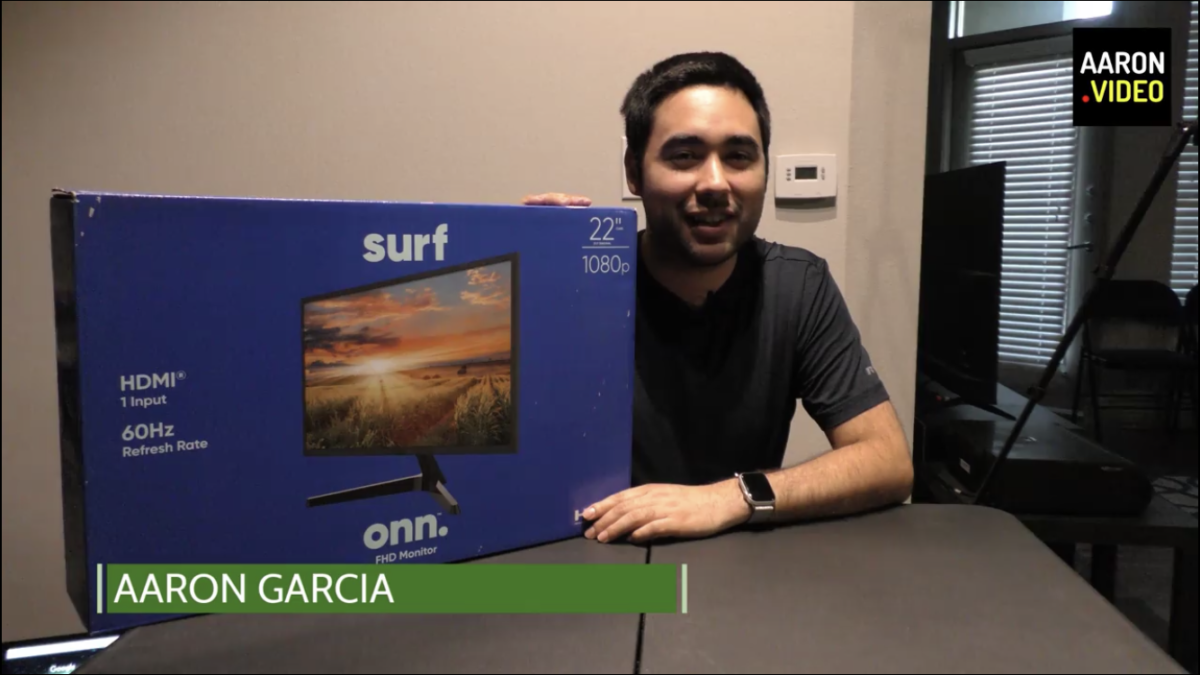
    Discovering the Value: The Surf Onn 22-Inch Monitor Unveiled by Aaron Garcia

    Introduction:
    In his relentless pursuit of affordable yet quality tech finds, Aaron Garcia, a dedicated tech enthusiast, often finds himself exploring the electronics section during his regular Walmart grocery runs. During one of these routine visits, he stumbled upon the Surf Onn 22-inch monitor, an enticing offering priced at an unbelievably low $75. Intrigued by the prospect of a budget-friendly second monitor for his workstation, Aaron quickly recognized the opportunity and decided to purchase two of these promising displays.

    The Discovery:
    Amidst the aisles of Walmart’s electronics section, Aaron’s eyes were drawn to the Surf Onn monitor, which boasted an impressively low price point. As he compared it to other options he had come across, the 22-inch FHD monitor stood out for its winning combination of affordability and functionality. Recognizing the potential it held for enhancing his work setup, Aaron’s curiosity was piqued, urging him to embark on this tech adventure.

    Unboxing Delights:
    Eager to delve deeper into the Surf Onn monitor’s features and performance, Aaron took it upon himself to create an unboxing video, sharing his excitement and insights on his YouTube channel. His comprehensive review emphasized the monitor’s affordability, highlighting its suitability as a secondary display for work or dual-monitor setups. Displaying meticulous attention to detail, Aaron took viewers through every step of the unboxing process, providing valuable tips and firsthand experiences.

    A Closer Look:
    Aaron’s unboxing video revealed the monitor’s pristine screen, devoid of any fingerprints or imperfections, giving a reassuring glimpse into its overall quality. With a keen eye for detail, he meticulously examined the monitor’s buttons, such as the menu, arrow, input, and power buttons, showcasing the range of control options at users’ disposal. Demonstrating the ease of assembly, Aaron commended the monitor’s straightforward setup process and praised the stability it offered once assembled, further cementing its appeal.

    Performance and Enthusiasm:
    Following the unboxing, Aaron wasted no time in putting the Surf Onn monitor to the test. With enthusiasm, he explored its performance and was immediately captivated by its vibrant colors, commendable detail, and sharpness. The monitor’s 1080 resolution exceeded his expectations, delivering clear and engaging visuals that exceeded what one might anticipate from a monitor in this price range. While acknowledging that the Surf Onn monitor may not possess the capabilities of high-end gaming monitors, Aaron expressed his satisfaction, believing it to be an excellent choice for everyday computing tasks.

    Engagement and Positive Reception:
    Throughout the unboxing video, Aaron actively engaged with his viewers, encouraging them to share their thoughts and experiences with the monitor. He expressed a genuine interest in their feedback, fostering a sense of community and camaraderie among tech enthusiasts. To simplify the purchasing process for those interested in acquiring the Surf Onn monitor, Aaron thoughtfully provided a link in the video description, ensuring a seamless buying experience.

    Conclusion:
    Aaron’s unwavering quest for affordable tech discoveries led him to uncover the hidden gem that is the Surf Onn 22-inch monitor, nestled among the aisles of Walmart’s electronics section. His unboxing video showcased the monitor’s impressive value, leaving viewers inspired and eager to explore this budget-friendly option. With its exceptional performance, vibrant colors, and impressive resolution, the Surf Onn monitor proved to be a reliable and cost-effective choice for individuals seeking an affordable computer monitor. Aaron’s review serves as a testament to the immense value found within this affordable gem, and his enthusiasm leaves little doubt that this monitor will exceed expectations for anyone seeking a budget-friendly solution. Aaron’s dedication to sharing his experiences and engaging with his audience not only fosters a sense of community but also empowers viewers to make informed decisions.

    As the story of Aaron Garcia’s discovery of the Surf Onn 22-inch monitor unfolds, it serves as a reminder that great finds can often be found in unexpected places. This remarkable monitor not only exceeded expectations in terms of performance and affordability but also exemplified the potential for hidden treasures within the aisles of popular retail stores.

    With his glowing review and genuine enthusiasm, Aaron Garcia has undoubtedly sparked curiosity and interest in the Surf Onn monitor. His unboxing video stands as a testament to the value it offers, inviting viewers to consider it as a practical and cost-effective addition to their tech setups.

    In conclusion, the Surf Onn 22-inch monitor has emerged as a shining example of affordable innovation within the tech world. Thanks to the passion and expertise of tech enthusiasts like Aaron Garcia, the potential for discovering remarkable tech gems is greater than ever. The story of Aaron’s journey with the Surf Onn monitor reminds us to remain open to unexpected finds and to embrace the excitement of exploring new tech possibilities.

  • Fediverse: Mastodon the Alternative to Twitter

    Fediverse: Mastodon the Alternative to Twitter

    I am always looking for new Social Networks to join. I have a Facebook, Twitter, Instagram, YouTube, Vimeo, LinkedIn, Snapchat, TikTok, Vero, Reddit, WordPress, Blogger, Tumblr, SoundCloud, MixCloud, and the list goes on and on.

    There are about 250+ social networks (the last time I looked for a complete list). I thought I had joined most of the big ones. All of the ones I had joined so far were owned and hosted by a single company for profit.

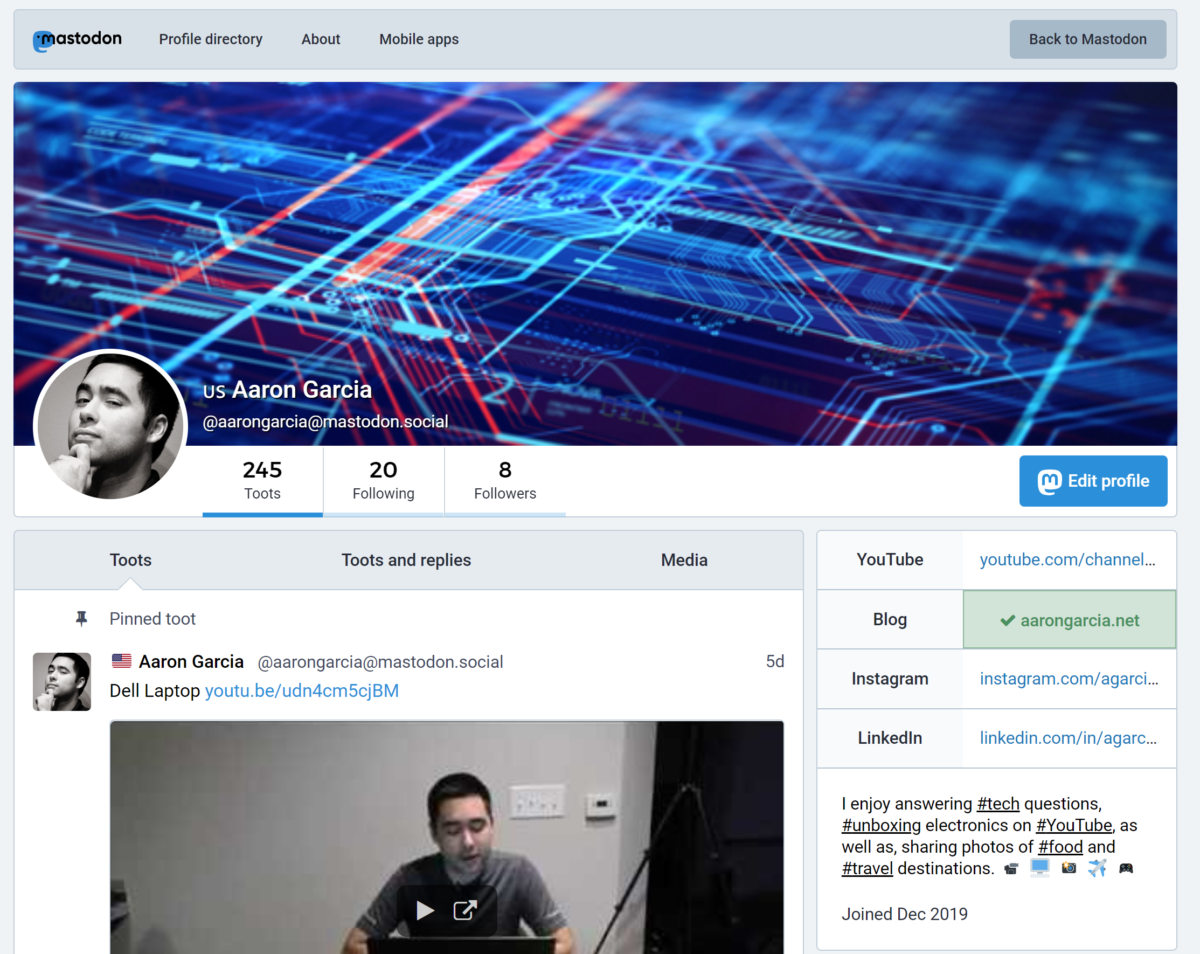
    A few days ago I discovered Mastodon. An alternative to Twitter. Mastodon is different because several servers called instances host the network. It is a federation of servers hosting the same protocol. Because of this, no one company or person owns it. The servers are hosting the site from around the world.

    And it gets better! I discovered shortly after that Mastodon was part of a larger Fediverse of alternative social networks. Which include diaspora, Mastodon, PeerTube, GNU Social, Funkwhale, Socialhome, Misskey, Hubzilla, Pleroma, PixelFed, and Friendica.

    All of these social networks operate similar to Mastodon in that they are community created, powered by an alliance of servers hosting the same protocol. And all of these networks are integrated together using ActivityPub. So not only are the networks federated themselves, but also with each other. Not even Facebook and Twitter do that.

    To join me on Mastodon follow this link: https://mastodon.social/invite/wU8KzJra

  • Hard Drive Formats

    Hard Drive Formats

    If you’ve ever wondered what to reformat your flash drive or external hard drive, you are not alone. There are several formats to choose from, but there is likely only a couple that will work for your needs.

    Formats

    FAT32

    FAT32 is the most common format found on flash drives (also known as thumb drives, USB sticks, or jump drives). FAT32 is perfect for these small devices because the format can be read and written to from every major computer or device (including Windows PCs, Macs, and Linux computers).

    There is only one problem with FAT32, it cannot save a file larger than 4GBs. That might be a problem if you’re working with video or have a large ISO file that you’d like to store.

    exFAT

    FAT32 is being phased out for exFAT that can store files larger than 4GBs. Unfortunately, older operating systems do not support exFAT and there may be some compatibility issues.

    Just like FAT32, exFAT can be read and written to across many platforms, including Windows and Mac OS.

    NTFS

    NTFS is a Windows format that can only be written to by a Windows computer (unless special software is installed). NTFS is the format of choice for running a Windows operating system but isn’t ideal for flash drives.

    HFS+

    Like Windows, Apple also has their own format called HFS+. This format has been the standard for Mac computers and their external devices. This format can only be read and written to by other Mac computers (unless special software is installed).

    This format isn’t ideal for devices that will need to be accessed by Windows and Linux computers.

    APFS

    APFS is Apple’s newest format. It will replace HFS+ in the coming years and will offer several advantages over the 30-year-old format. APFS is designed for solid state drives and will make all of Apple’s devices more compatible with each other. Apple TVs, Apple Watches, iPhones, iPads, MacBooks, and iMacs will eventually all run on APFS providing greater security and speed in the future.

    ext4

    ext4 is the successor of ext3, the format used by Linux operating systems. This format cannot be read by Macs or Windows computers (unless special software is installed). Unless you are running a Linux operating system, you may never run across this format.

  • How to Make a Website

    How to Make a Website

    Your website is an important component of your lead generation strategy. It will be the metaphorical flagship of your online fleet. All of your social media profiles and newsletters will link to your website which should be the centerpiece of your online presence.
    Building a website is a lot easier than it was at the turn of the 21st century. You do not need to know how to code or be incredibly tech savvy to launch your own website. But, you might need some guidance on where to go to get what you need. This post will show you one method to achieve this goal.
    Once you are familiar with web administration, you’ll eventually feel more comfortable trying different services or configuring your website differently to rank better in Google or load faster on mobile devices. It can get complicated fast, but don’t worry we’re keeping it simple in this article. Baby steps!

    Choose a Domain Name

    Depending on your personality, choosing a domain name can be easy or hard; it’s a lot like naming your first pet or child. Some thought needs to go into it, but not too much. Remember you can always buy another domain. Many are nominally priced.
    Most people are familiar with .com domains. Ideally, you’ll want to go with that.
    For example, I launched a website called llamaleads.com I could have chosen llamaleads.net or something more trendy like llamaleads.marketing. But, I chose llamaleads.com because it was memorable and more importantly available.
    If the domain that you want is not available you may attempt to buy it from its current owner using a domain name negotiation platform like Domain Agents.
    To purchase available domains, I recommend Hover. Try a few names, keep them short, easy to spell, and consider getting a .com if possible. After you have purchased your domain, return here to continue your journey.
    Choosing a Domain Name

    Choose a Web Host

    Congratulations on purchasing your first domain! Now it’s time to put that domain to work for you. I recommended a domain registrar that makes this next process a little easier than most.
    You may choose any domain registrar that you wish, there are many out there, but I thought that you would appreciate the one I selected because it offers a lot of one-click choices. You can achieve similar results with other registrars, but I would have to delve into what DNS Records are and I promised to keep this simple, right?
    Assuming that you have already purchased your domain from Hover and are already logged in, the following steps will help you connect your domain to a web host (the easy way).

    Using Hover Connect to Pair Domain to a Web Service

    In your Hover Control Panel click on edit > use hover connect.
    Hover Control Panel Connect Domain
    You’ll then be greeted by another panel. At the time of writing, there are 23 services to choose from. I recommend taking a look at them all to determine what suits your needs best, but since you’re new to this, I’ll make a recommendation—Squarespace. It’s toward the bottom of the list.
    Hover Connect
    Once you’ve made your determination, be sure to read the instructions carefully when they appear. By this stage, you’ve already purchased your domain, so if any of these services say it is unavailable, it is because you already own it.
    Connect to Squarespace Prompt

    Build Your Website

    By this point, you should have purchased a domain and connected it with a website development platform. Explore the menus of the web builder you chose and start experimenting. Web development is something you learn by doing. It gets easier with time and you will learn that there are many ways to achieve a similar result.
    You may choose at a later date to move to a different web builder because the current one doesn’t fit your needs or hire a professional to develop your website for you. Whatever you do, don’t get discouraged. Keep working at it and you’ll soon discover that it was easy all along! You can do this!

    Squarespace Now You See Me Foundation
    This is the Squarespace configuration panel for nowyoucme.org (Now You See Me Foundation), a non-profit that supports disabled athletes rebuild their lives after a tragic accident. If you love a good cause, I encourage you to check them out!


  • Use Google Public DNS to Unblock Websites Blocked by OpenDNS

    Use Google Public DNS to Unblock Websites Blocked by OpenDNS

    Use the following instructions to improve your browser speed and circumvent blocks by OpenDNS. Enjoy!

    Microsoft Windows

    DNS settings are specified in the TCP/IP Properties window for the selected network connection.

    Example: Changing DNS server settings on Microsoft Windows 7

    1. Go the Control Panel.
    • Click Network and Internet, then Network and Sharing Center, and click Change adapter settings.
    • Select the connection for which you want to configure Google Public DNS. For example: To change the settings for an Ethernet connection, right-click Local Area Connection, and click Properties.
    • To change the settings for a wireless connection, right-click Wireless Network Connection, and click Properties.
    •  If you are prompted for an administrator password or confirmation, type the password or provide confirmation.
    • Select the Networking tab. Under This connection uses the following items, select Internet Protocol Version 4 (TCP/IPv4) orInternet Protocol Version 6 (TCP/IPv6) and then click Properties.
    • Click Advanced and select the DNS tab. If there are any DNS server IP addresses listed there, write them down for future reference, and remove them from this window.
    • Click OK.
    • Select Use the following DNS server addresses. If there are any IP addresses listed in the Preferred DNS server or Alternate DNS server, write them down for future reference.
      • For IPv4: 8.8.8.8 and/or 8.8.4.4.Replace those addresses with the IP addresses of the Google DNS servers.
      • For IPv6: 2001:4860:4860::8888 and/or 2001:4860:4860::8844
    • Restart the connection you selected in step 3.
    • Test that your setup is working correctly; see Testing your new settings below.
    • Repeat the procedure for additional network connections you want to change.

    Mac OS X

    DNS settings are specified in the Network window.

    Example: Changing DNS server settings on Mac OS 10.5

    1. From the Apple menu, click System Preferences, then click Network.
    • If the lock icon in the lower left-hand corner of the window is locked, click the icon to make changes, and when prompted to authenticate, enter your password.
    • To change the settings for an Ethernet connection, select Built-In Ethernet, and click Advanced.Select the connection for which you want to configure Google Public DNS. For example: To change the settings for a wireless connection, select Airport, and click Advanced.
    • Select the DNS tab.
    • Click + to replace any listed addresses with, or add, the Google IP addresses at the top of the list:
      • For IPv4: 8.8.8.8 and/or 8.8.4.4.
      • For IPv6: 2001:4860:4860::8888 and/or 2001:4860:4860::8844
    • Click Apply and OK.
    • Test that your setup is working correctly; see Testing your new settings below.
    • Repeat the procedure for additional network connections you want to change.

    Linux

    In most modern Linux distributions, DNS settings are configured through Network Manager.

    Example: Changing DNS server settings on Ubuntu

    1. In the System menu, click Preferences, then click Network Connections.
    • To change the settings for an Ethernet connection, select the Wired tab, then select your network interface from the list. It is usually called eth0. Select the connection for which you want to configure Google Public DNS. For example:
      • To change the settings for a wireless connection, select the Wireless tab, then select the appropriate wireless network.
    • Click Edit, and in the window that appears, select the IPv4 Settings or IPv6 Settings tab.
    • If the selected method is Automatic (DHCP), open the drop-down and select Automatic (DHCP) addresses only instead. If the method is set to something else, do not change it.
      • For IPv4: 8.8.8.8 and/or 8.8.4.4.In the DNS servers field, enter the Google Public DNS IP addresses, separated by a space.
      • For IPv6: 2001:4860:4860::8888 and/or 2001:4860:4860::8844
    • Click Apply to save the change. If you are prompted for a password or confirmation, type the password or provide confirmation.
    • Test that your setup is working correctly; see Testing your new settings below.
    • Repeat the procedure for additional network connections you want to change.
  • Shuttle Tracker for iOS

    Shuttle Tracker for iOS

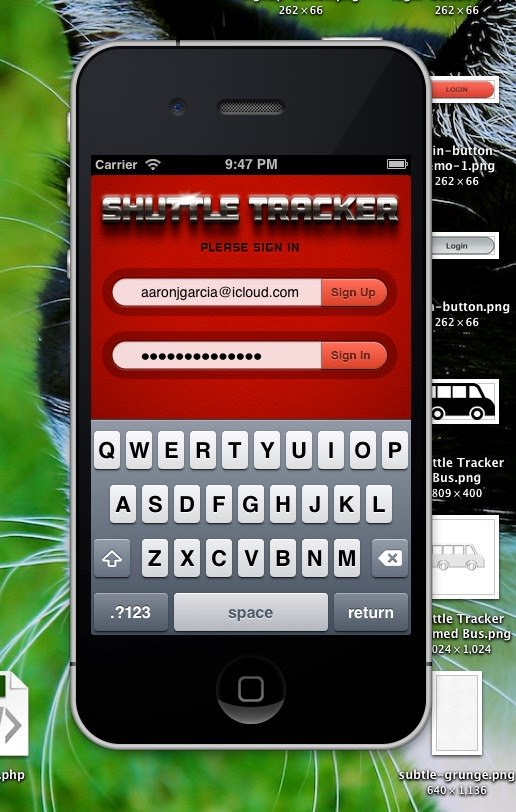
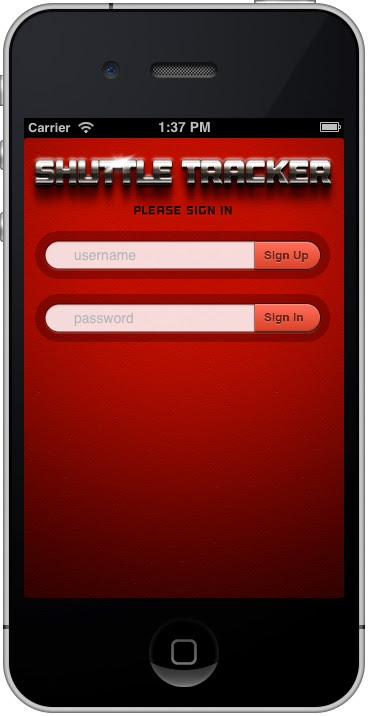
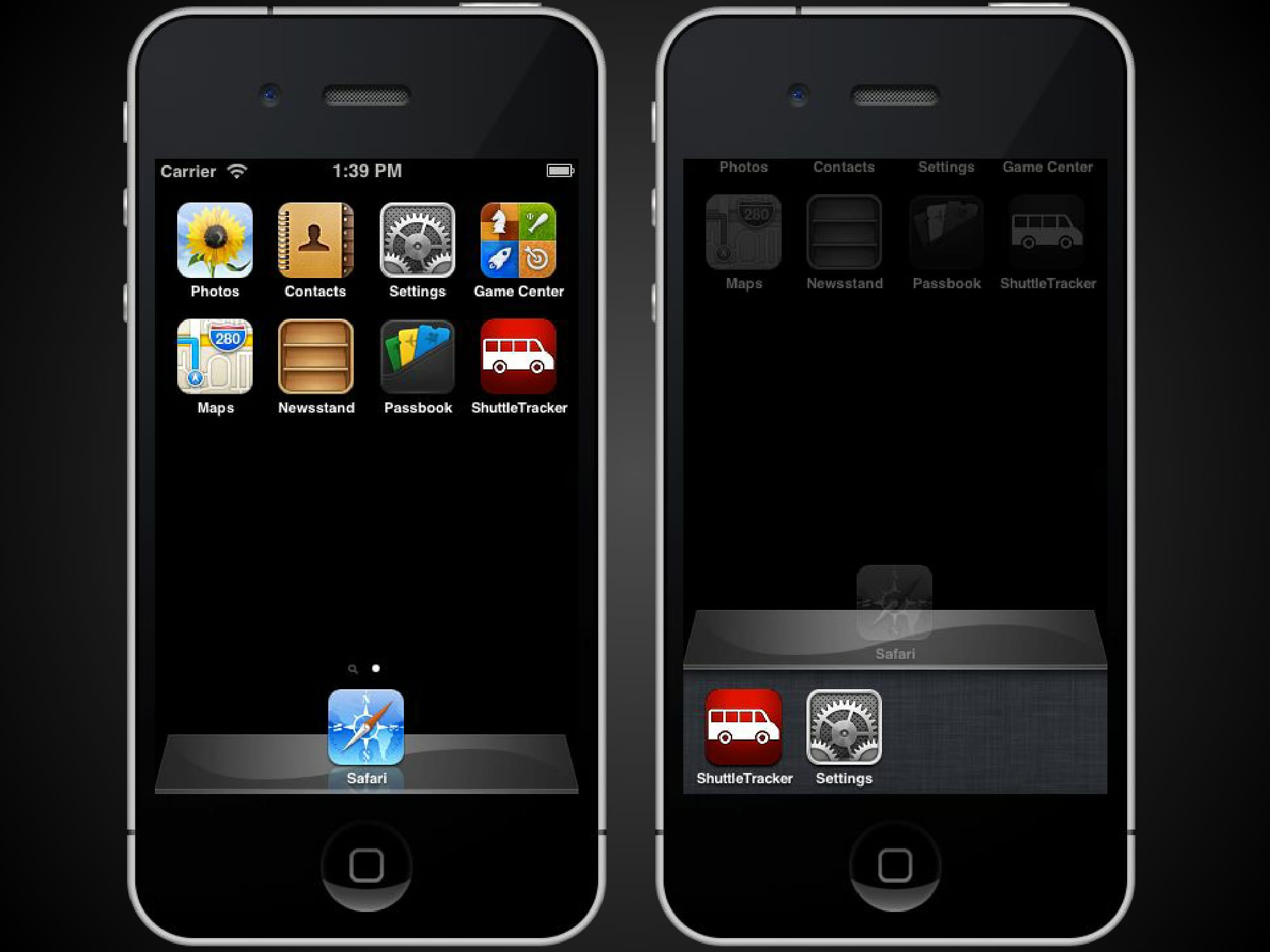
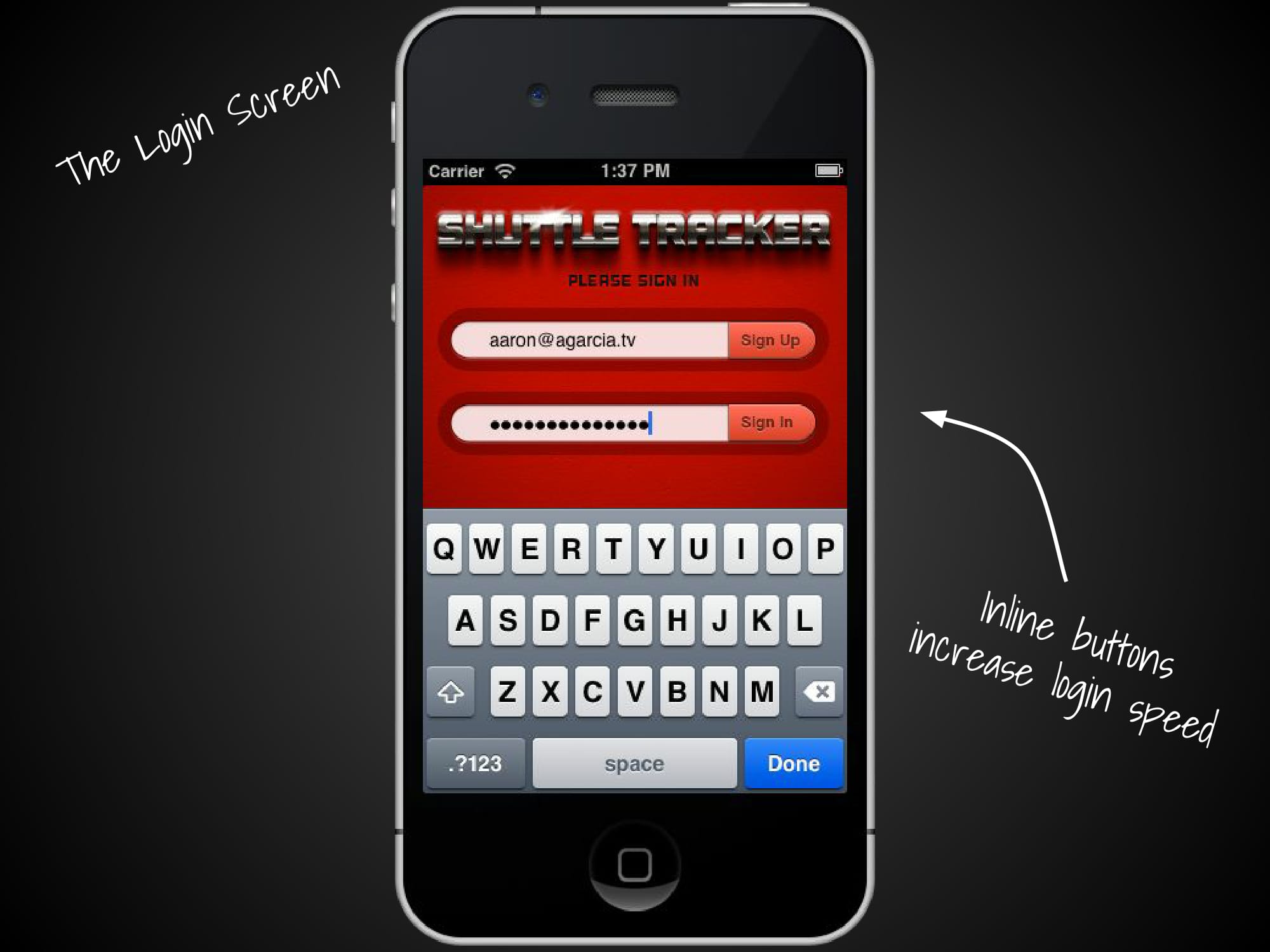
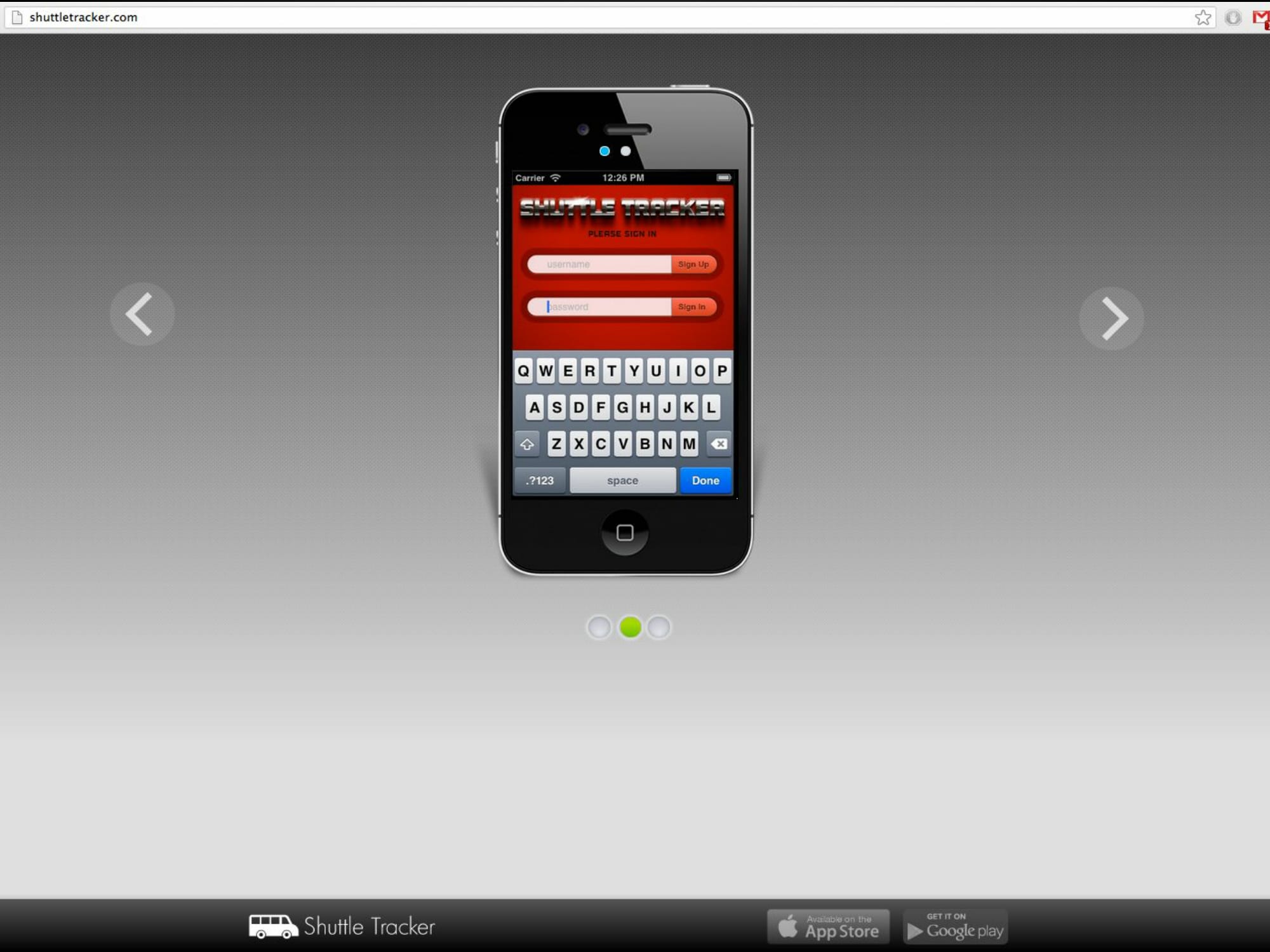
    I am currently developing an app called Shuttle Tracker for iOS. I have taken on the project as part of an elective course; formally known as MIS 4399 iOS App Development.

    I first came up with the idea during my sophomore year at the University of the Incarnate Word (UIW) while a friend and I were waiting for the campus shuttle. Since the shuttle doesn’t run on a set schedule – it’s hard to know when it will arrive. A decision had to be made: would it be faster to walk or wait for the shuttle?

    There’s nothing worse than waiting 15-25 minutes for a shuttle; deciding to walk, a half-mile, only to get passed up by the shuttle and arrive extremely late to class.

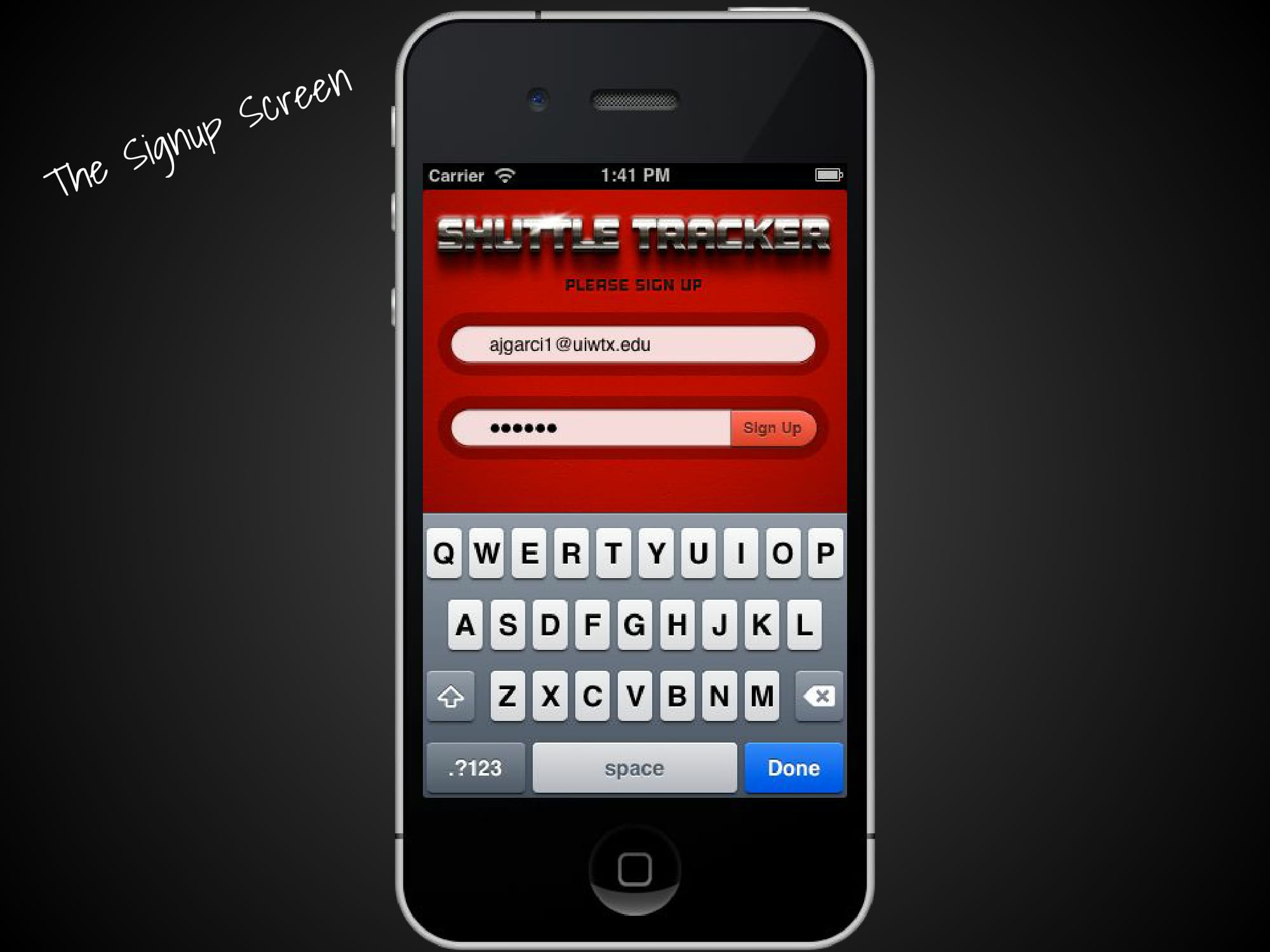
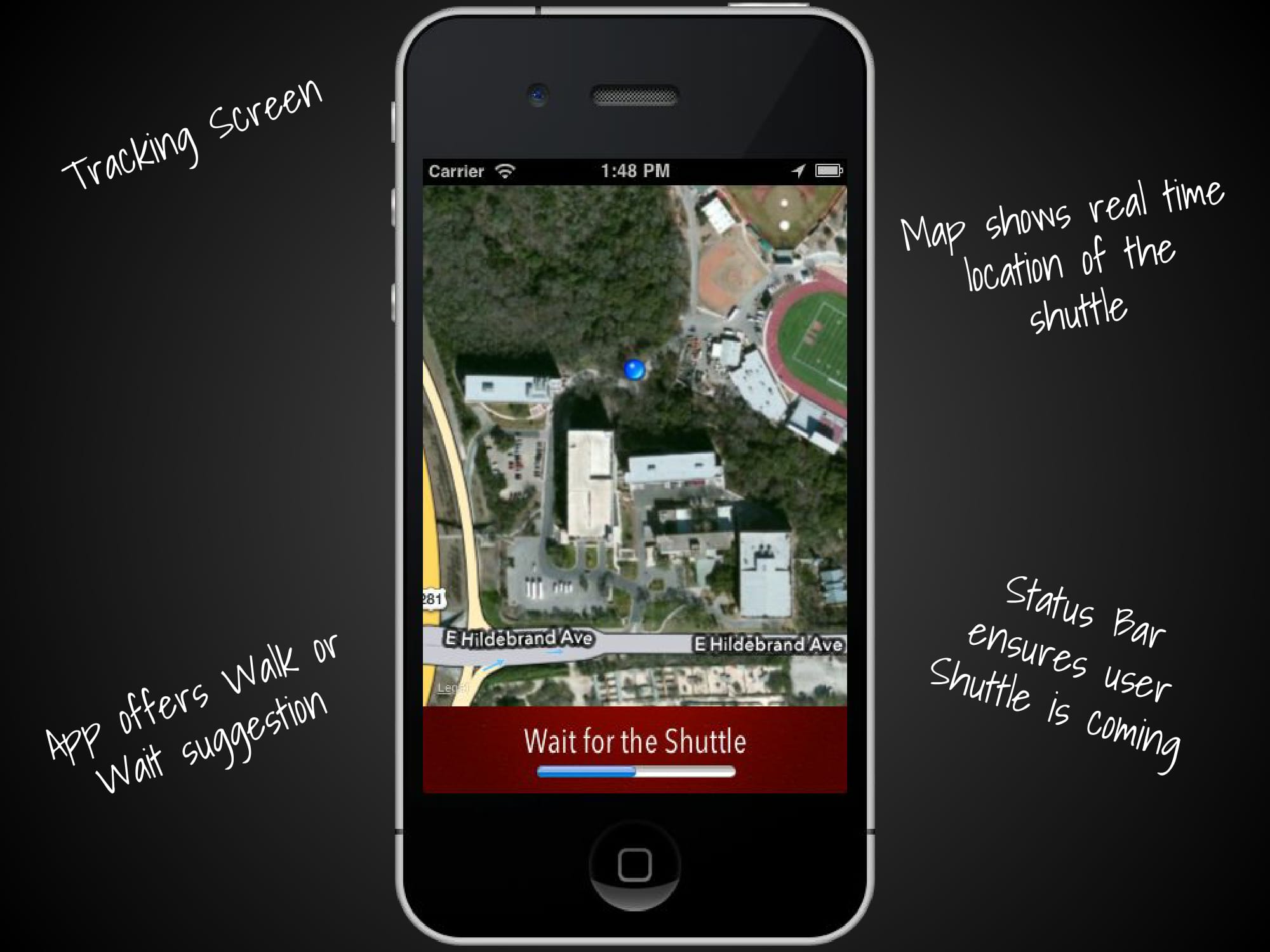
    With the app I am developing – there will no longer be a need to make such an uninformed decision again! The app will determine where the shuttles are located on campus, which shuttle is the closest to the student, how long it will take for the closest shuttle to reach the student’s current location and then how long it will take to reach the student’s final destination. The app will also compare how long it would take to walk to the student’s final destination vs taking the shuttle. Then the app will either suggest to walk or wait for the shuttle

    Generally, it isn’t recommended to share your app ideas with the public before the app is available in the App Store, but for the class, I needed to run through the whole process of creating an app and marketing it.

    Since publishing our apps to the App Store isn’t a requirement – the only way to simulate the demand for our app would be to measure the number of likes it receives on Facebook.

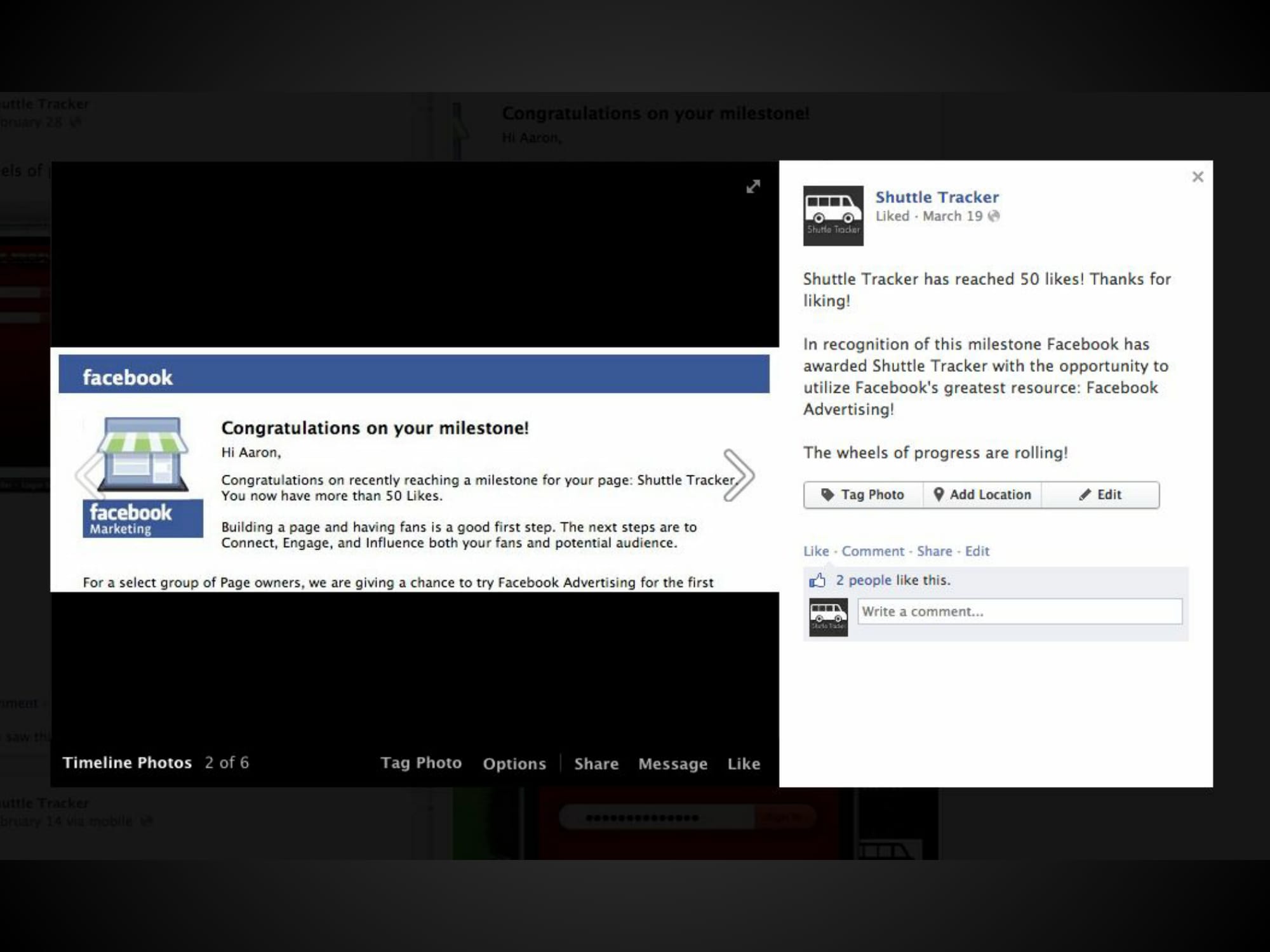
    So far, Shuttle Tracker has received 60 likes organically. That means, even after I was awarded $50 from Facebook for receiving 50 likes for my app – I did not utilize their targeted advertising tools. I didn’t want my app to go UIW viral until after I finished it and had it up in the App Store.

    Shuttle-Tracker-Aaron-Garcia

    Even while trying to keep mum about the app I managed to have a feature article written about it in the LOGOSUIW’s student newspaper. Perhaps at this point, it wouldn’t matter if I used the targeted advertising tools or not – it already has the potential of attracting a lot of attention! I have been told that the article should be coming out in their next issue.

    Shuttle Tracker was never intended as just a class project – it has always been something more. And since it’s designed specifically for the students at UIW, it’s only right that they get to witness it develop. I hope to continue working on the app long after I graduate in May. But, until the app is complete, I’ll try to keep the megaphone’s volume on 1.

    Shuttle Tracker-01
    Shuttle Tracker-02
    Shuttle Tracker-03
    Shuttle Tracker-04
    Shuttle Tracker-05
    Shuttle Tracker-06
    Shuttle Tracker-07
    Shuttle Tracker-08
    Shuttle Tracker-09
    Shuttle Tracker-10
    Shuttle Tracker-11
    Shuttle Tracker-12
    Shuttle Tracker-13
    Shuttle Tracker-14
    Shuttle Tracker-15
    Shuttle Tracker-16
    Shuttle Tracker-17
  • My Experiences with App Development

    My Experiences with App Development

    I was first inspired to create an iPhone app by Steve Job’s presentation at the World Wide Developer’s Conference (WWDC) in 2009. At the time I was a junior in high school and had just transitioned to Mac OS X after terrible experiences with Microsoft Vista and Hewlett-Packard’s customer service. I didn’t know much about Apple, but I knew I wanted to learn. The enthusiasm of Steve Job’s and the others who spoke at the WWDC was very inspirational.

    It didn’t take long for me to register as a developer. From the developer member’s page, I was able to download early versions of XCode and the entire WWDC 2010 podcast. I found myself regularly coming up with ideas for apps, including one I called Shuttle Tracker.

    The basic purpose of Shuttle Tracker would be to track the whereabouts of shuttles on university campuses. I have continuously developed the idea all the way into my senior year in college, which is when I was walking down the hallway and I saw a poster advertising the iOS App Development course. The poster read: “Open to all majors as a general elective. No experience required!” I immediately signed up to take the course during my last semester.

    MIS 4399 iOS App Development is in its pilot stage. Only two institutions offer this course – Stanford University and the University of the Incarnate Word. By far, the difficulty of the material and expectations of the course are exceedingly high. However, the potential of the course is equally so.

    Dr. Bo Han at the University of the Incarnate Word is by far the most enthusiastic professor I have ever met. Each lecture he came in ready to share knowledge that could potentially transform everyone in the room to the next self-made millionaire. I was very impressed with his enthusiasm. His enthusiasm was similar to that found on the stage of the WWDCs during Steve Job’s tenure at Apple. I found myself believing that each new line of code was going to change the world – as it already has proven true several times before!

    He studied the material very hard and went beyond the two textbooks to develop practical explanations of what each line of code was doing. I cannot stress how much I really appreciated that.

    The experience I gained from being exposed to Objective-C and Xcode has already increased my employability. The first question I am asked when meeting with business professionals is usually related to my experience with that course and my progress on the Shuttle Tracker app.

    I was definitely challenged by this course. I learned a lot about something I knew very little about and now I can say I am on the right track I’m getting closer to reaching my goal. It won’t happen overnight, but with persistence and the instruction I have received – I know I can change the world!